Connected users
The list of everyone who's connected an app, its filters and tabs, and the user page's Connections, Activity, and Agents tabs.
Every end user who has connected at least one app shows up here, whether they came through Arc0 Connect, the SDK, or the API.
The list
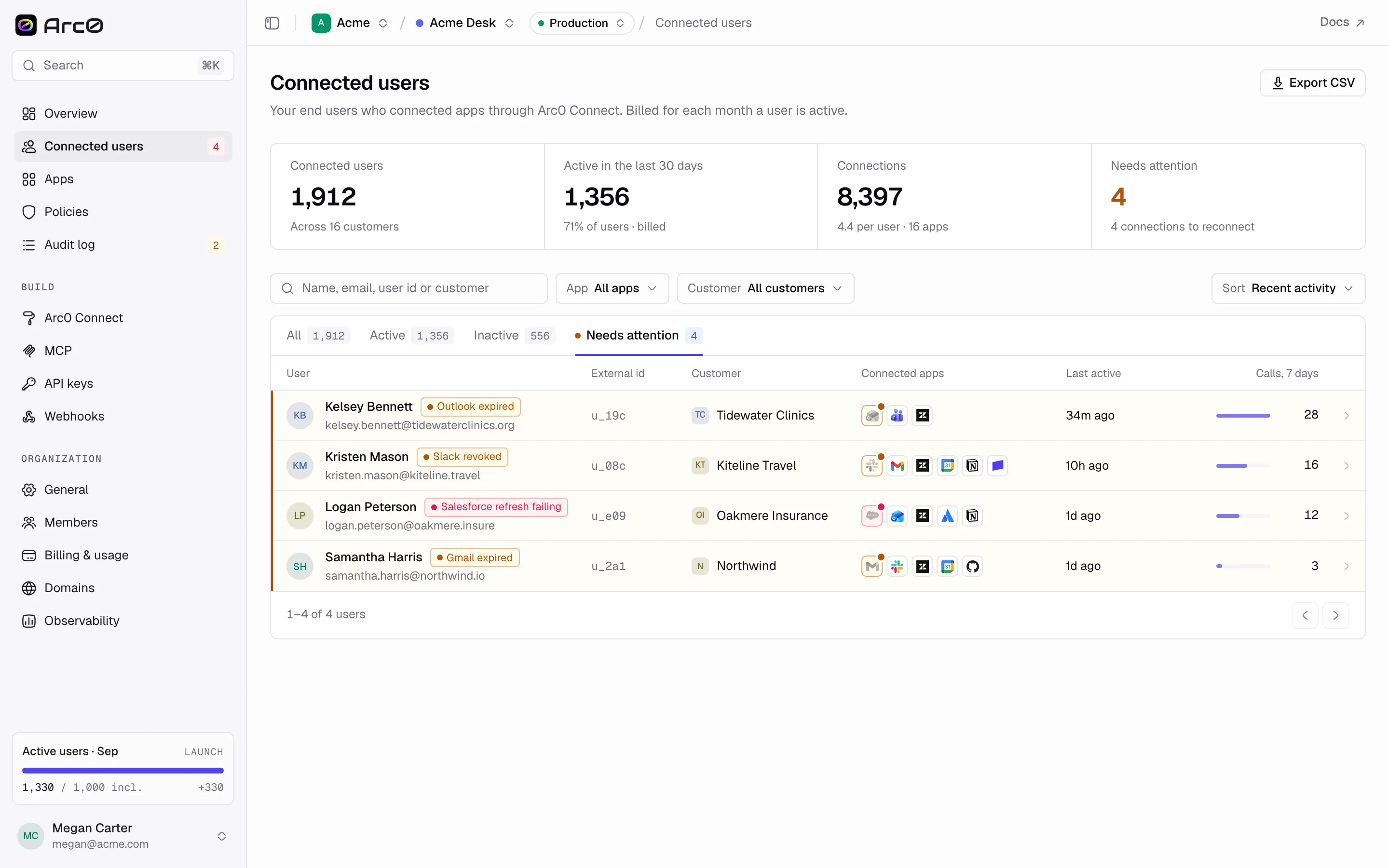
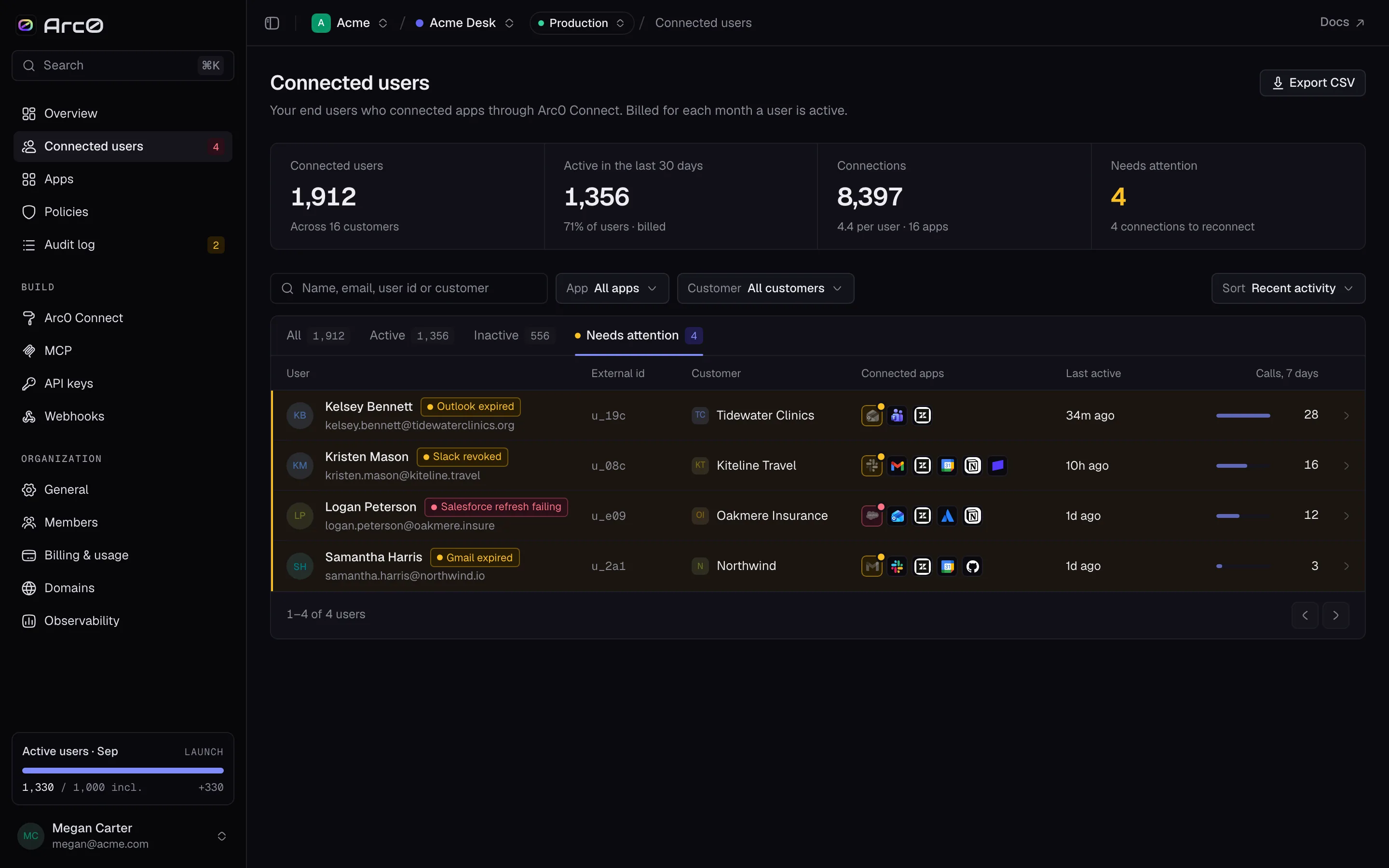
Four stats sit above the table: Connected users, Active in the last 30 days, Connections, and Needs attention. Tabs split the same list by status — All, Active, Inactive, Needs attention — and the filters narrow further: search by "Name, email, user id or customer", or filter by App, Customer, and Sort (Recent activity, Most calls, Newest, Name).
The table itself shows User, External id, Customer, Connected apps, Last active, Calls, and 7 days. Export CSV downloads the current filtered view. When nothing matches, the list says "No users match these filters."
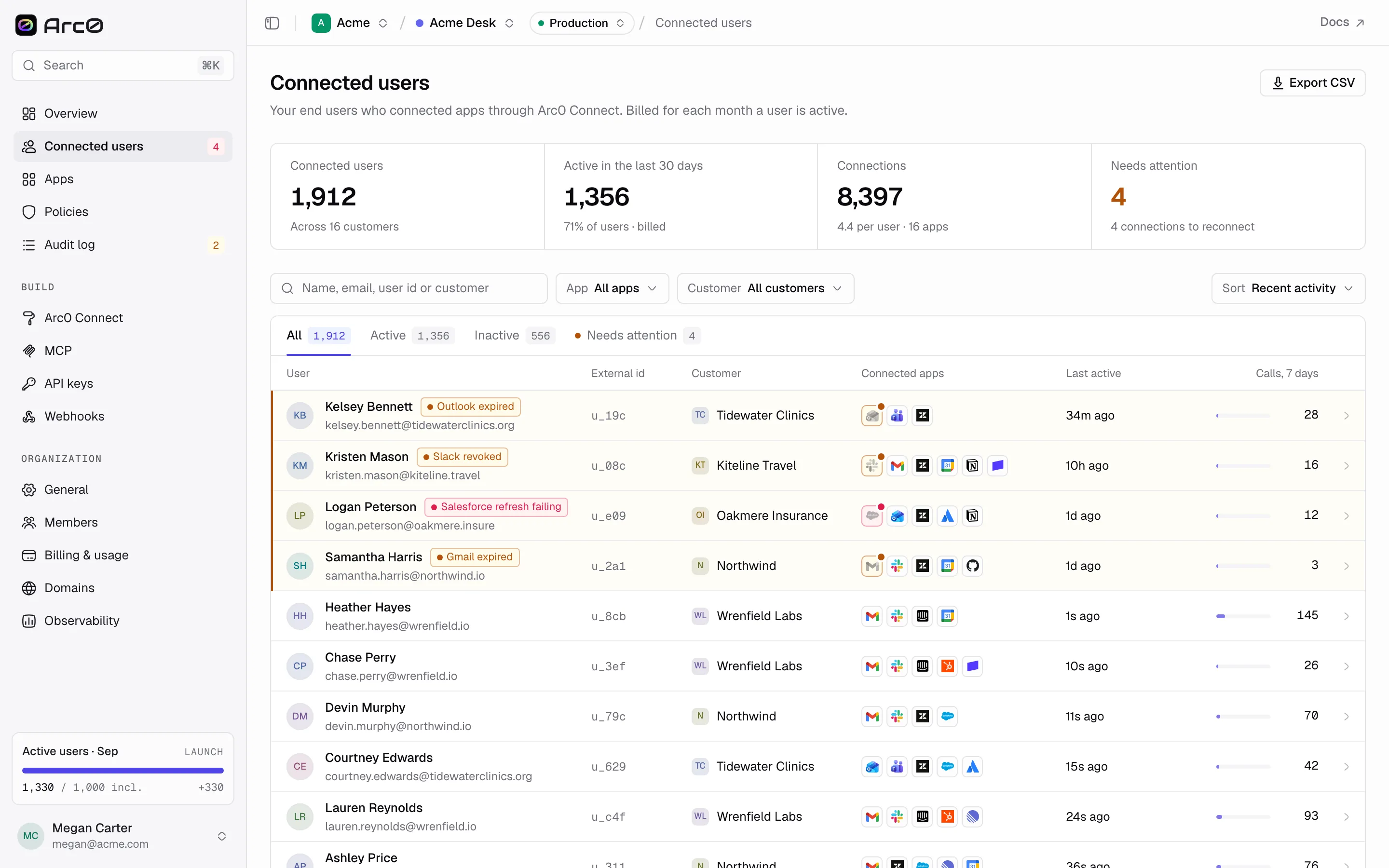
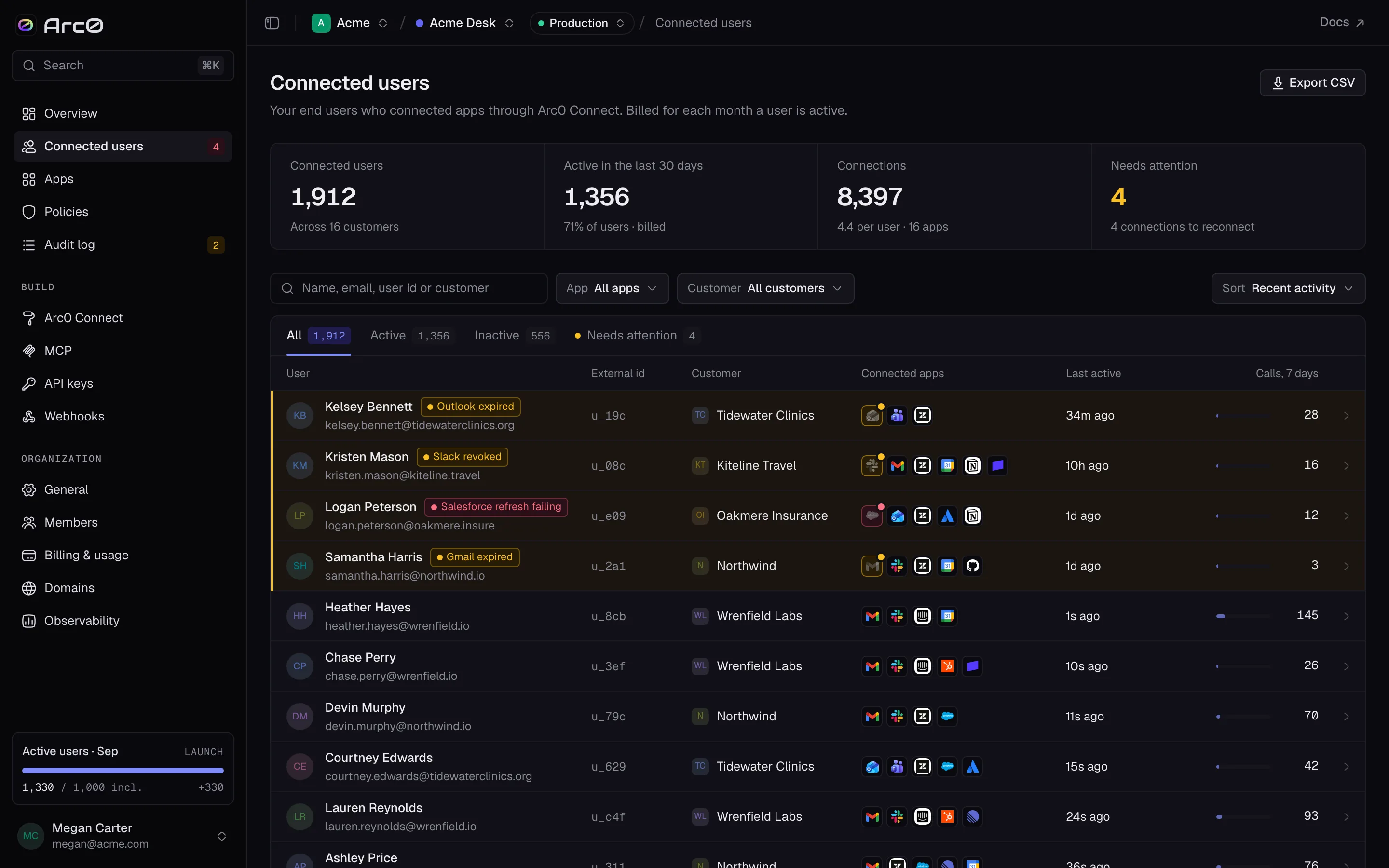
Needs attention catches users with a broken connection — expired, revoked, or failing to refresh — so you know who to reach before they notice something's wrong.
The user page
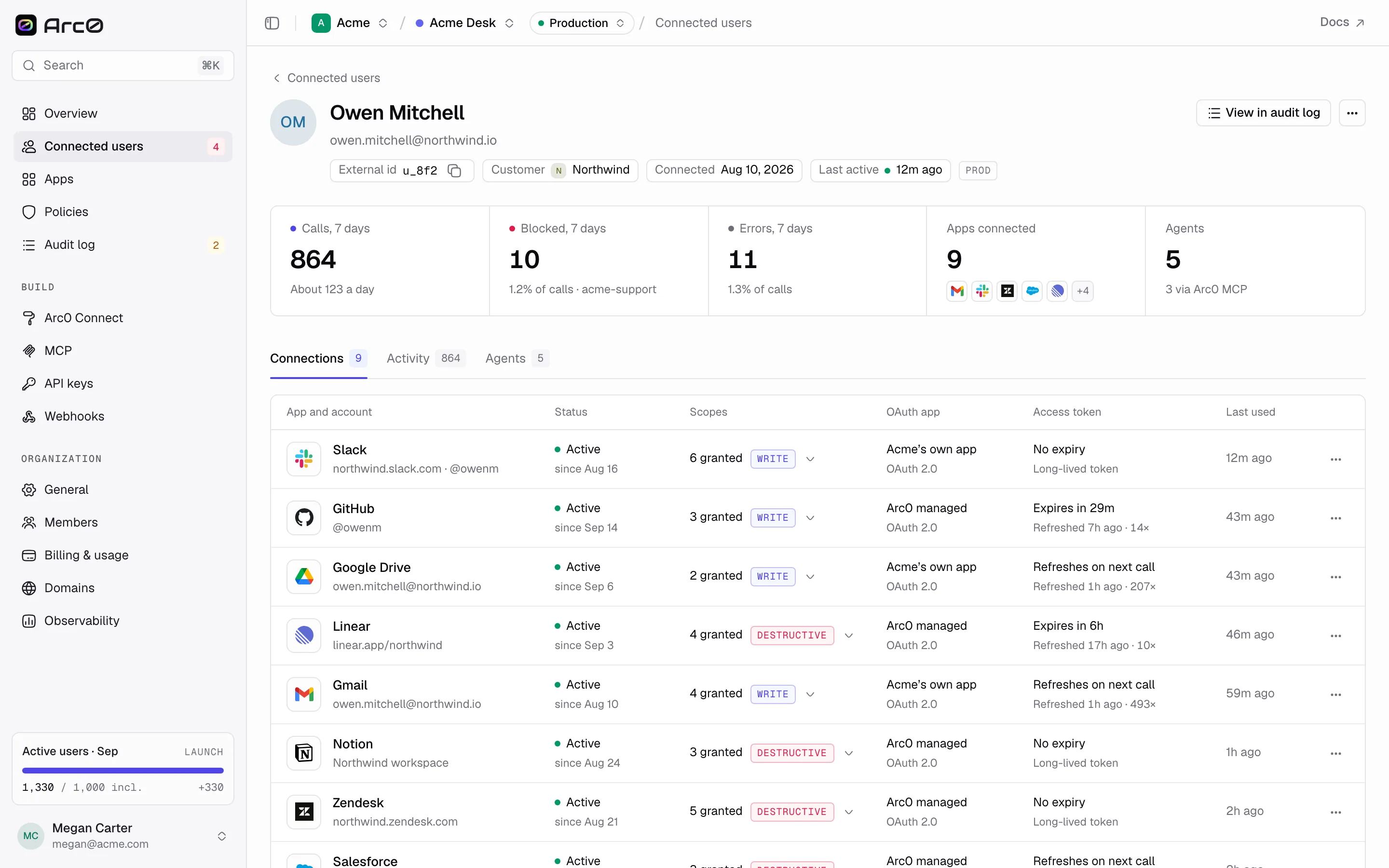
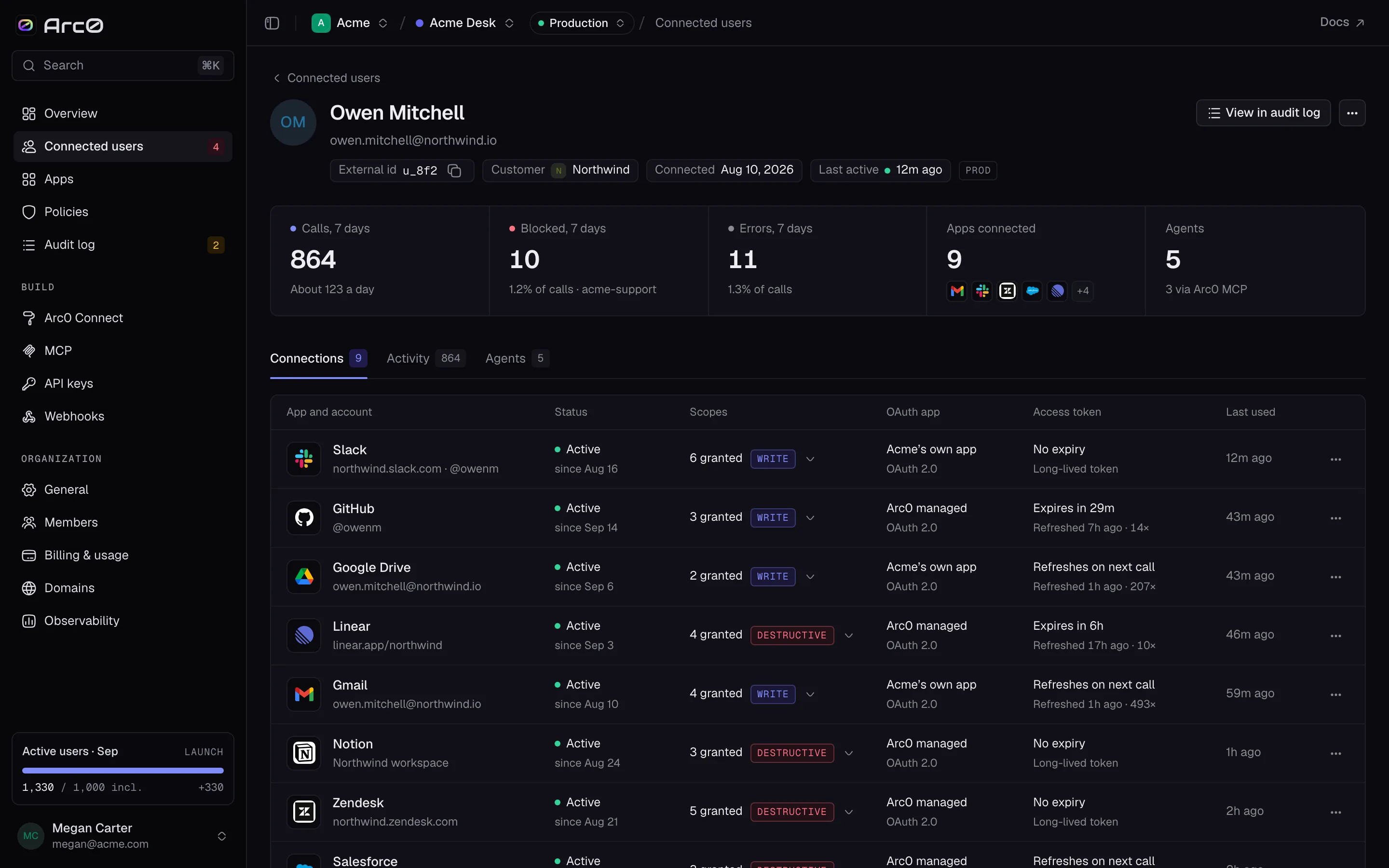
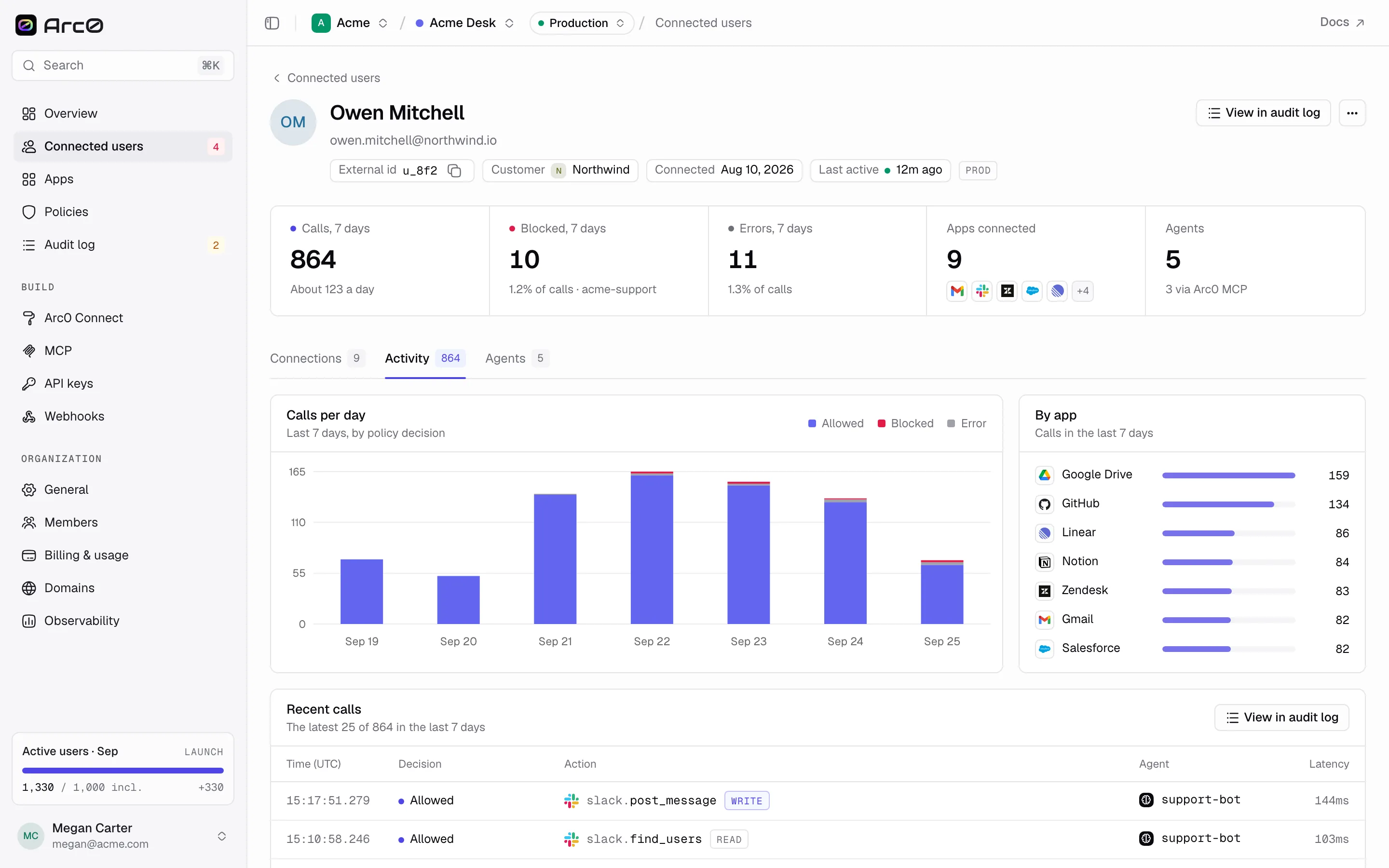
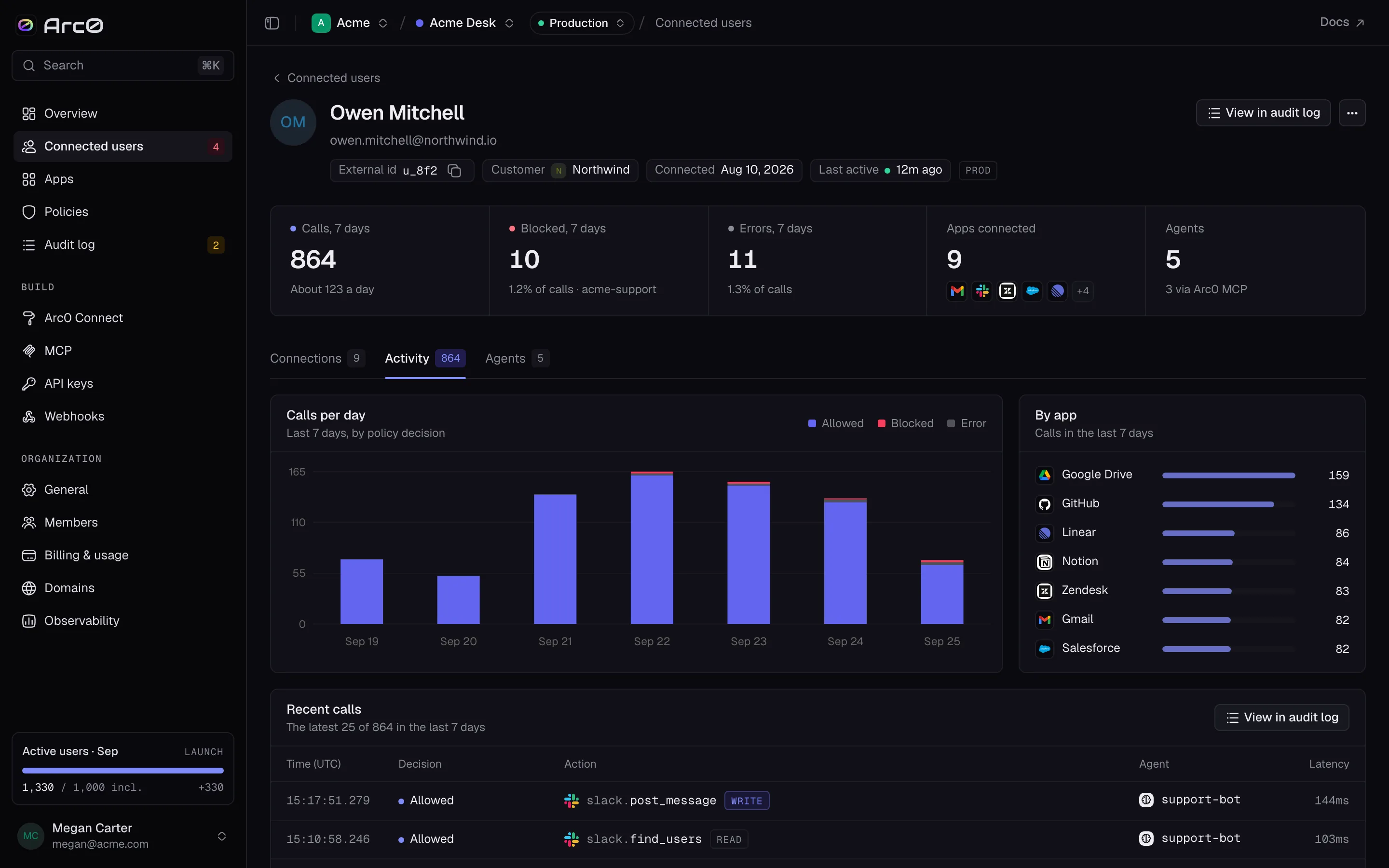
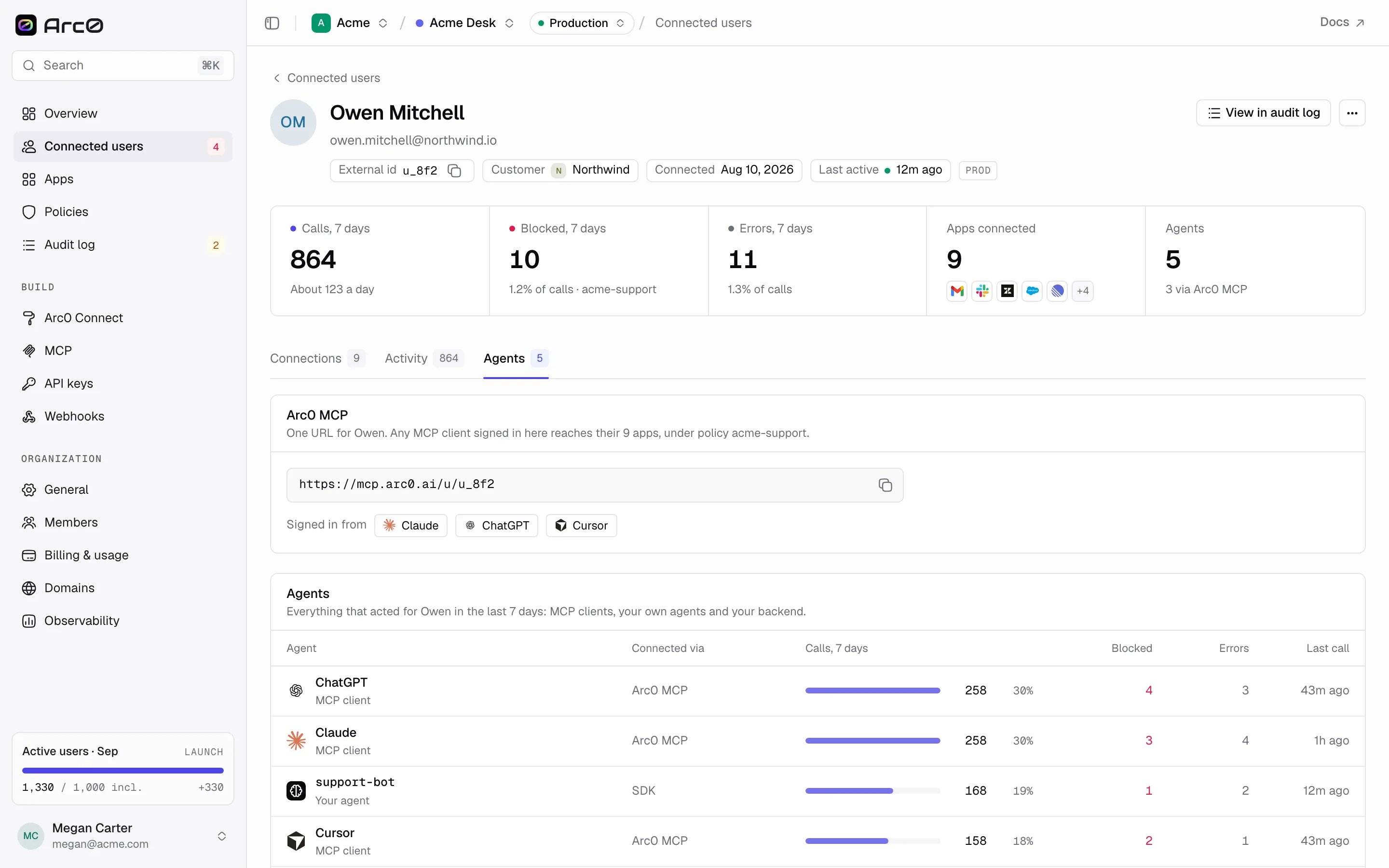
Opening a user shows five stats — Calls, 7 days, Blocked, 7 days, Errors, 7 days, Apps connected, and Agents — plus a View in audit log shortcut and an overflow menu: Copy Arc0 user id, Copy external id, Revoke all connections, and Delete user and tokens.
Three tabs cover everything about that user:
- Connections (the default) — every app they've connected, its status, and its scopes. See Connections for the full detail, including the reconnect flow.
- Activity — three panels: Calls per day, By app, and Recent calls.
- Agents — an Arc0 MCP panel with the user's endpoint URL and which client last signed in with it (or a note that none has yet), followed by an Agents table: Agent, Connected via, Calls, 7 days, Blocked, Errors, Last call.
Deleting a user
Delete user and tokens, in the overflow menu, removes the user and every credential they've connected — the same as DELETE /v1/users/{user} over the API. It doesn't notify the user or the apps they'd connected; it just makes sure Arc0 holds nothing for them anymore. There's no undo, so Revoke all connections is the safer move if you only want to cut off agent access without losing the user record.