Observability
Stream every policy decision to your own OpenTelemetry backend, as spans with the app, agent, user and outcome attached.
Launch and Scale
Every call Arc0 mediates can also land in your own observability stack, as an OpenTelemetry span, next to the rest of your infrastructure's traces.
Turn it on
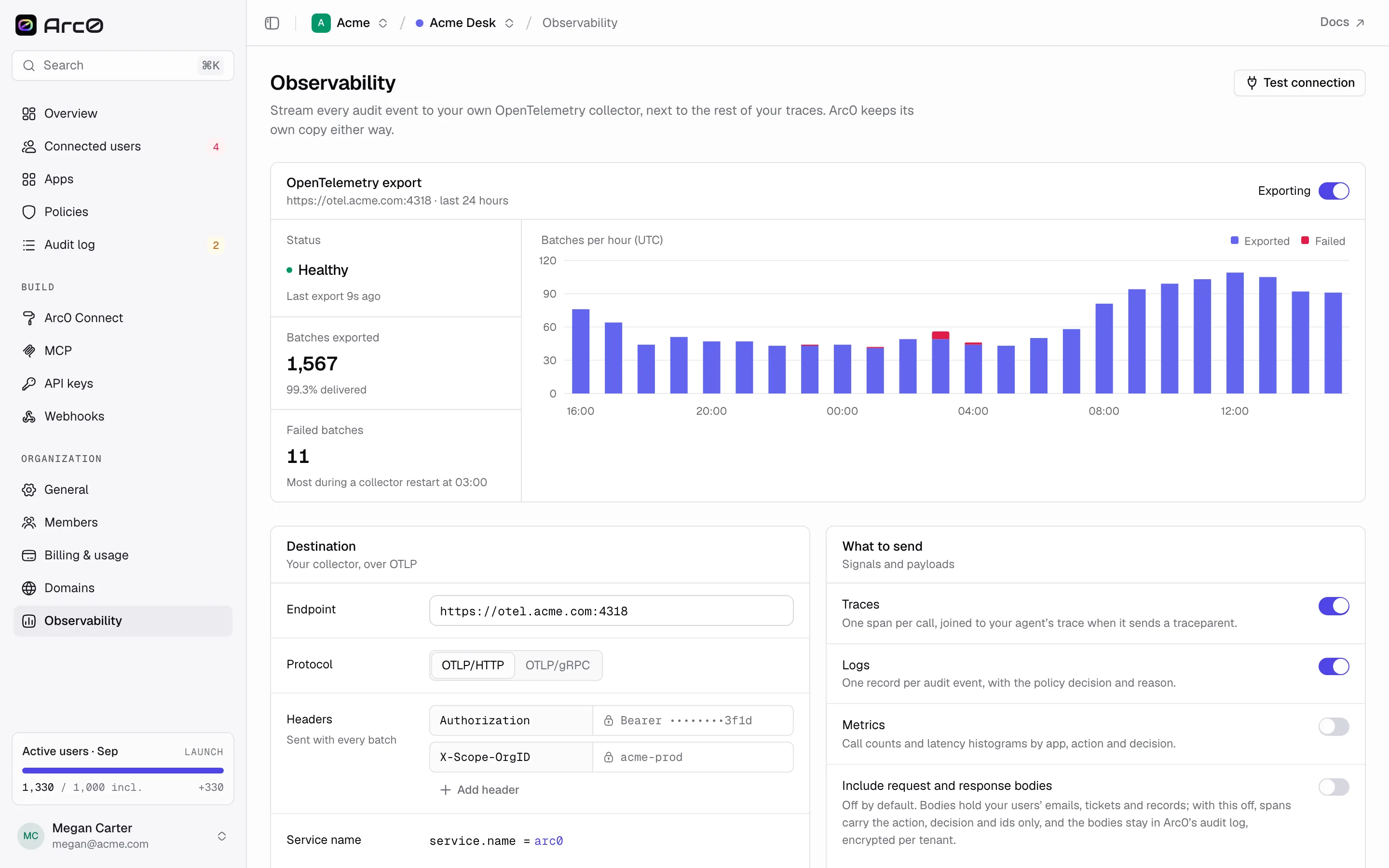
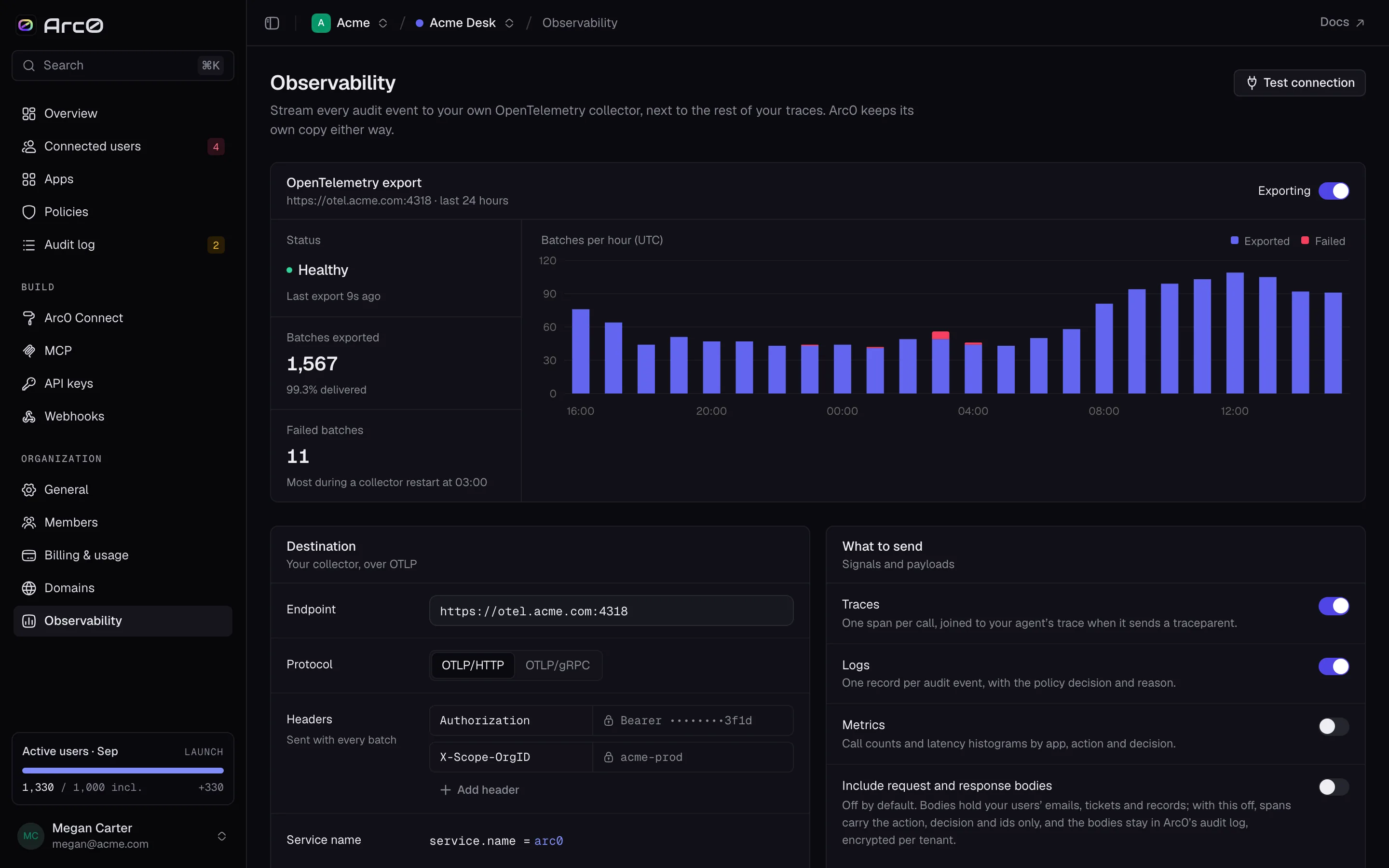
Export is a per-org setting under Settings → Observability. It needs:
- Endpoint — your collector's URL.
- Protocol —
otlp-http("OTLP/HTTP") orotlp-grpc("OTLP/gRPC"). - Headers — anything your backend needs for auth, added one at a time with Add header.
- Service name and resource attributes — how the spans identify themselves alongside your other services.
- Signals — Traces, Logs and Metrics, each on its own switch.
Test connection sends one span through before you commit, and the page shows the export's
running status: healthy, degraded or failing.
What's on a span
Every span carries the same attributes a row in the audit log has:
arc0.event_id       arc0.decision      arc0.customer     arc0.via
arc0.action         arc0.rule          arc0.agent        arc0.environment
arc0.scope          arc0.policy        arc0.user         http.response.status_code
That's enough to build a dashboard or an alert — calls blocked per agent, latency by app, approval rate by policy — without joining back to Arc0 for context.
Request and response bodies
By default, spans carry only these attributes, not the call's actual input or output. Turn on Include request and response bodies if you want the full payload in your traces too. It's off by default because those payloads can contain your users' data.
Turning on payloads sends whatever your agents send and receive — email bodies, ticket contents, customer records — to your observability backend. Only turn it on if that backend meets the same bar as Arc0 itself.
Datadog, Honeycomb and Grafana
Arc0's export is generic OTLP, so it works with any collector that speaks it. Point it at your vendor's OTLP ingest endpoint and set the auth header they ask for:
- Endpoint: your Datadog site's OTLP intake, e.g.
https://otlp.datadoghq.com - Protocol: OTLP/HTTP
- Header:
DD-API-KEY: <your Datadog API key>
Check your vendor's current docs for the exact endpoint for your account or region — these fields only need to match what your collector expects.