Approvals
How an ask rule holds a call, routes it to an approver by email, API or webhook, and lets the agent through once it's decided.
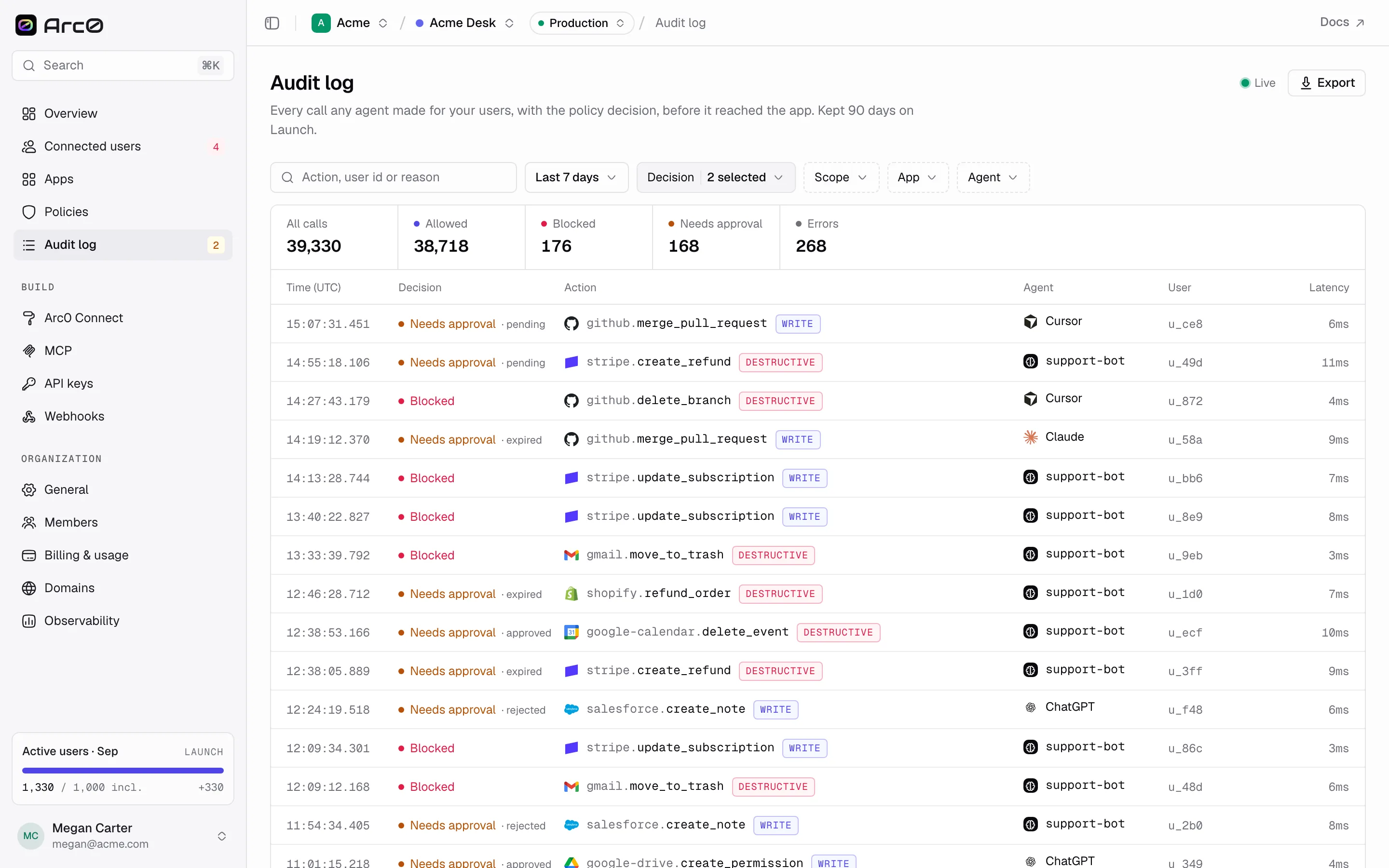
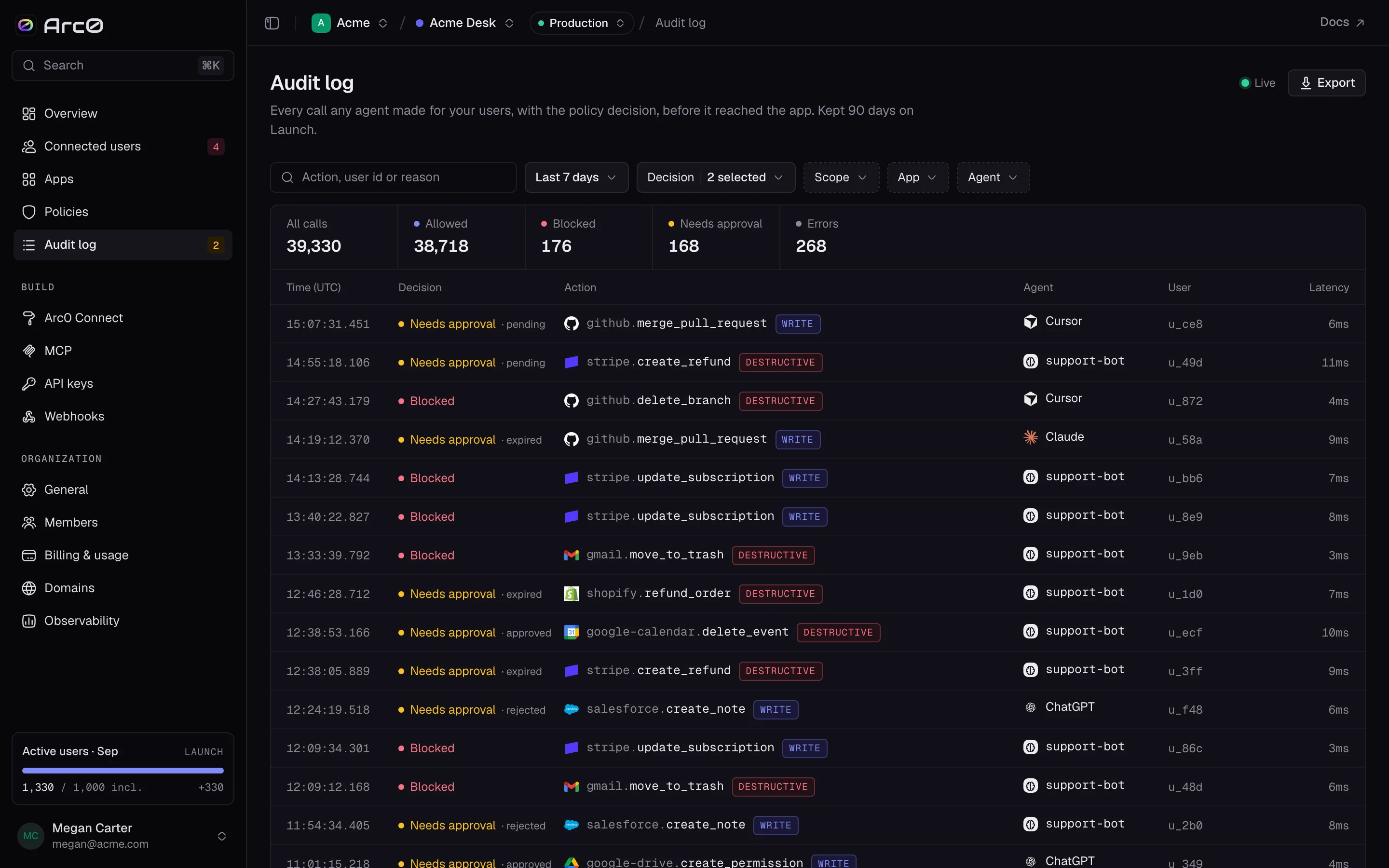
An ask rule doesn't reject a call — it holds it. The call is logged as blocked with the reason
"Requires approval," and an Approval is attached to it: pending, then approved,
rejected, or expired if nobody answers in time.
What the agent gets
The held call throws before it reaches the app. Your agent — or your own code, if it called the action directly — gets back an error it can hold onto and retry later:
{
  "error": {
    "code": "approval_required",
    "message": "This action requires approval before it can run.",
    "approval": {
      "id": "apr_9f3k2m1x",
      "requested_from": ["ops@acme.com"],
      "status": "pending",
      "expires_at": "2026-09-27T15:42:00Z"
    },
    "retryable": true
  }
}
Who decides, and how
The request goes to the emails in the policy's approvers, e.g. ops@acme.com. There are three
ways to decide:
- Email. The approver's email has Approve and Reject buttons.
- API. Your own systems can decide the same request:
POST /v1/approvals/{id}/approveor/v1/approvals/{id}/reject. - Webhook. Listen for
approval.requested, run whatever check you want — an on-call rotation, a Slack approval flow — then call the API to decide.
There's no Approve or Reject control in the Arc0 dashboard itself. A decision always comes from one of the three paths above, never from clicking something in the UI.
import { Arc0 } from '@arc0/sdk';

const arc0 = new Arc0({ apiKey: process.env.ARC0_API_KEY });

// after verifying the `approval.requested` webhook delivery
await arc0.approvals.approve('apr_9f3k2m1x');
Expiry
A request expires after the policy's approvalTimeoutMinutes — 60 minutes in production by
default, 15 in development. Past that, its status becomes expired and the original call stays
blocked.
The retry
Once approved, your agent retries the exact same call. This time it goes through, and it's logged
as allowed with the reason Approved by {name} — so the audit log always shows two events for
one approved action: the hold, and the retry that actually ran.
Personal Arc0 agents use the same rule under a friendlier label, "Ask me," with a shorter explanation: "Arc0 holds the call until you approve it." See Arc0 for individuals.
Finding approvals later
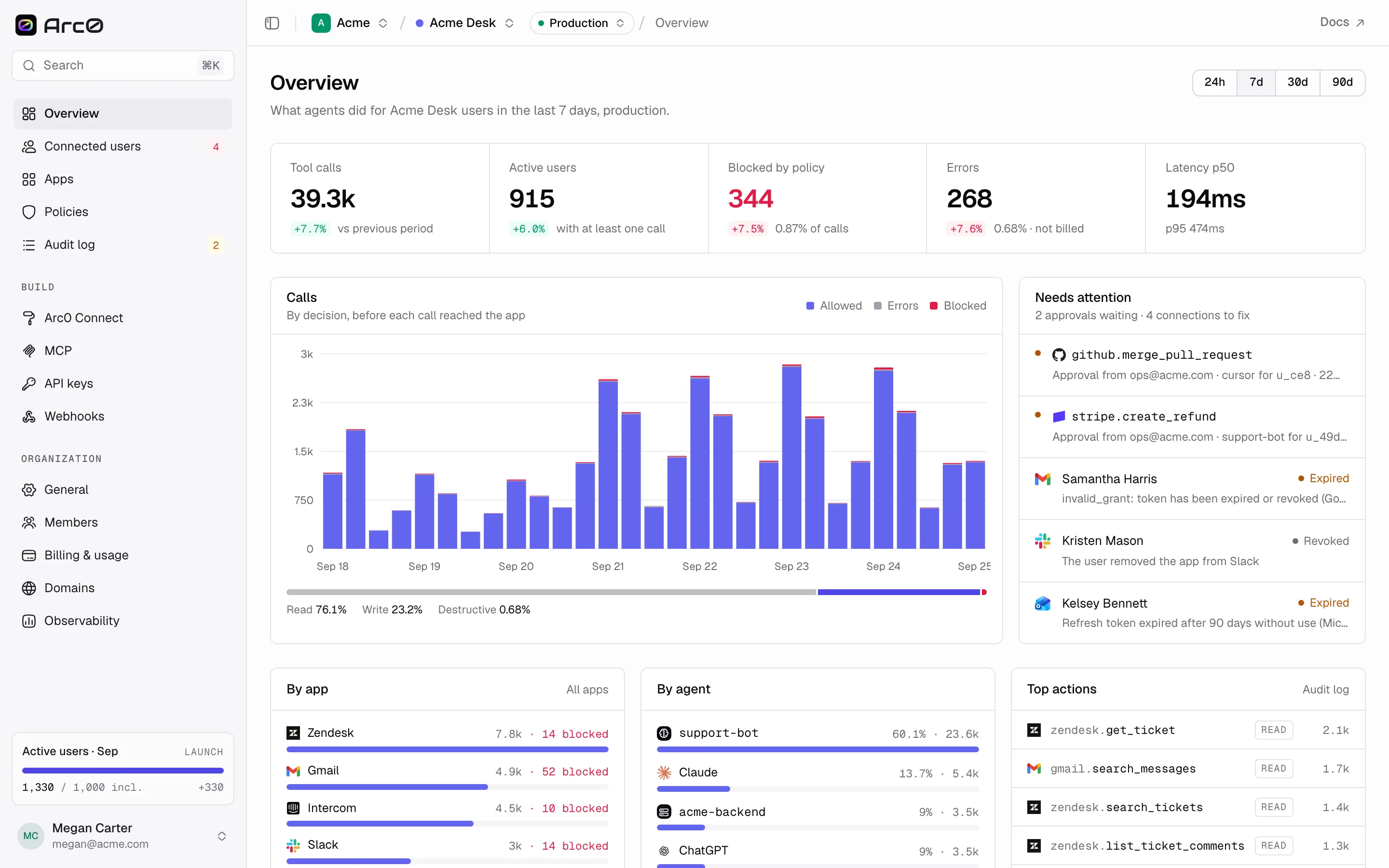
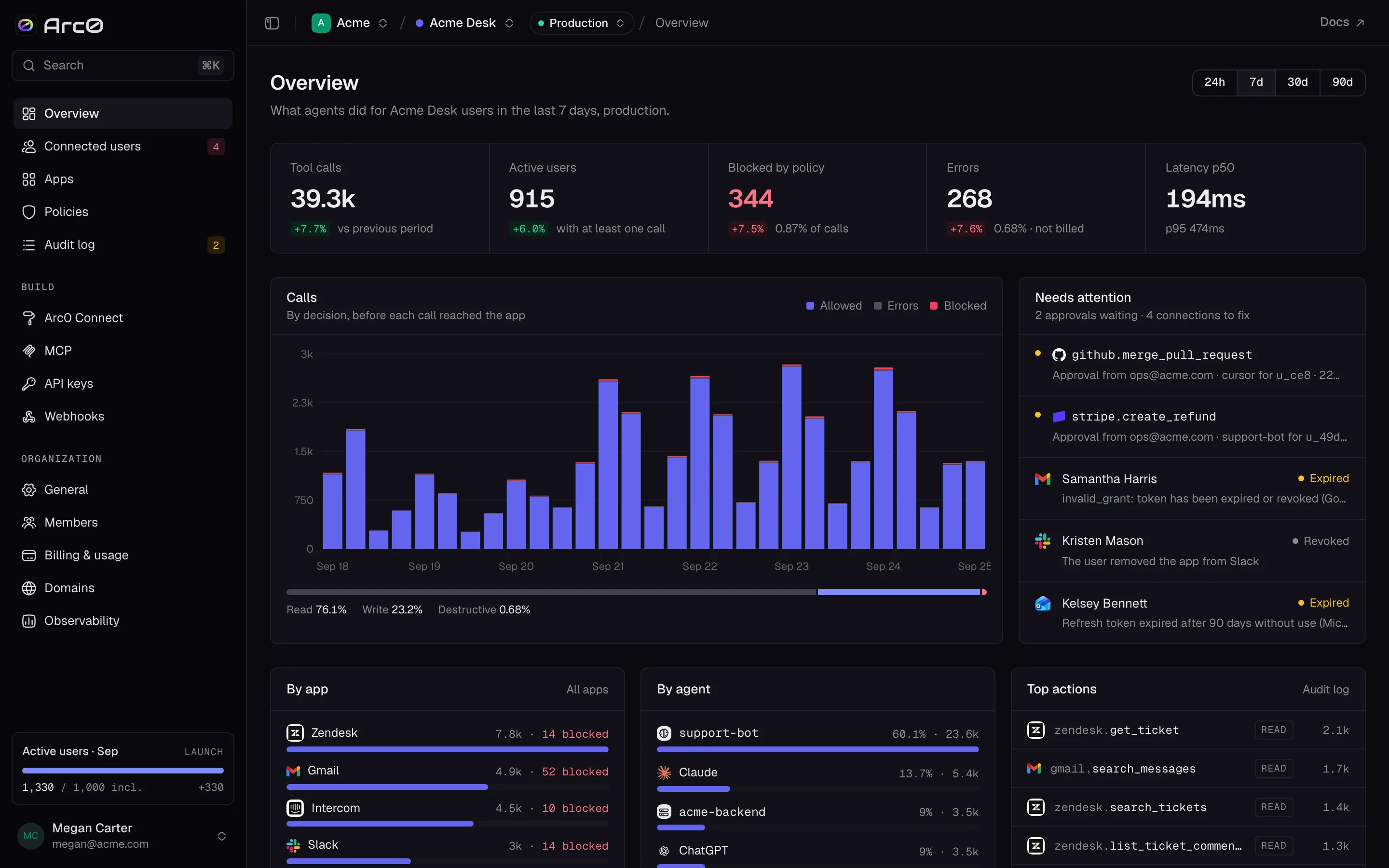
Pending approvals show under Overview → Needs attention, and in the audit log's Needs
approval filter (?decision=approval). Opening the event shows the approval's status, who it
was requested from, and — once decided — who decided it and when.