Introduction
Arc0 is one plug between AI agents and the apps your users have already connected.
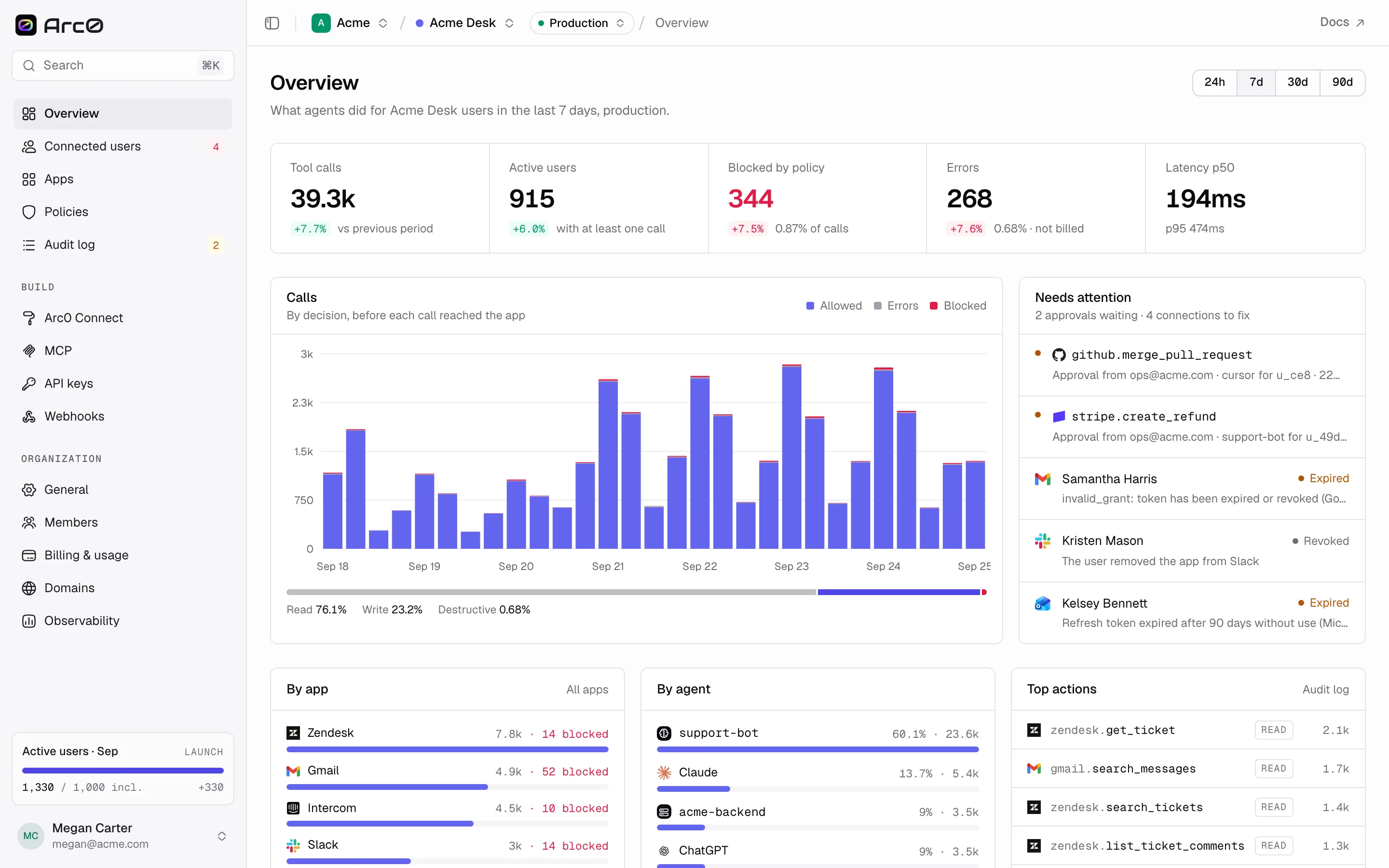
Your user connects an app once, through a flow that carries your brand. From then on, any agent — the one you built, or Claude, ChatGPT and Cursor — can act in that app through one Arc0 MCP endpoint or the SDK. Your own backend can use the same connection over REST, so one connection serves the agent and the code you write yourself. What the agent can actually do is limited to what the user approved and to the policies you set, and every call lands in the audit log.
Why a plug, not another integration
Most agent products end up building the same thing twice: a connect flow for users, and a set of rules for what an agent is allowed to do once it's connected. Arc0 is that layer, built once and shared across every agent you ship. Your users see one consistent, branded way to connect their apps. You get one place to set policy, and one place — the audit log — where every call any agent made is already written down, whether it came from your product, from Claude, or from a teammate's Cursor session.
It's priced around that shape too: per connected user, not per call, so a chatty agent doesn't change your bill, and testing in Development never does either.
The pieces
- Concepts — orgs, projects, environments, connected users and connections, apps and actions, and how they fit together.
- Quickstart — create a project, enable an app, and make your first action call.
- Environments — Production and Development, and how to move from one to the other.
- Arc0 Connect — the branded flow your users see when they connect an app.
- Apps — the catalog your project enables apps from, and how actions are graded.
- Arc0 MCP — one endpoint per user, for Claude, Cursor, or your own agent.
- Policies and approvals — what an agent may do without asking, and what needs a human first.
- Audit log — every call, on every plan, including free.