Scopes and actions
What scopes an app requests, how actions are graded read, write, or destructive, turning them off, and the usage tab.
Two tabs on an app's page control what an agent can actually do: Scopes, which decides what gets requested from the user, and Actions, which decides what an agent can call once they've granted it.
Scopes and the consent preview
Each app defines a list of OAuth scopes, and a switch next to each one decides whether Arc0 requests it. The tab's footer reads "N of M requested" as you toggle them.
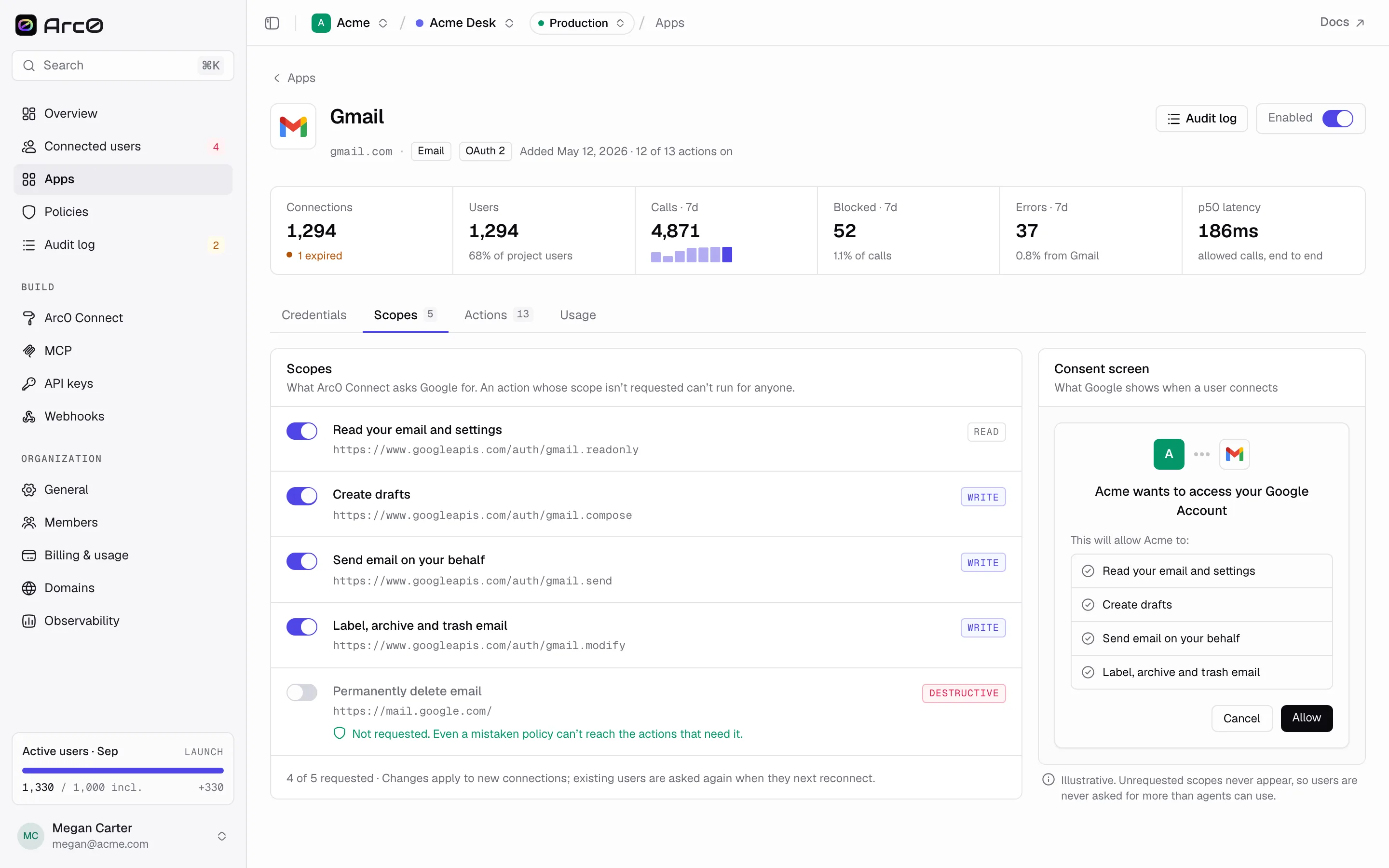
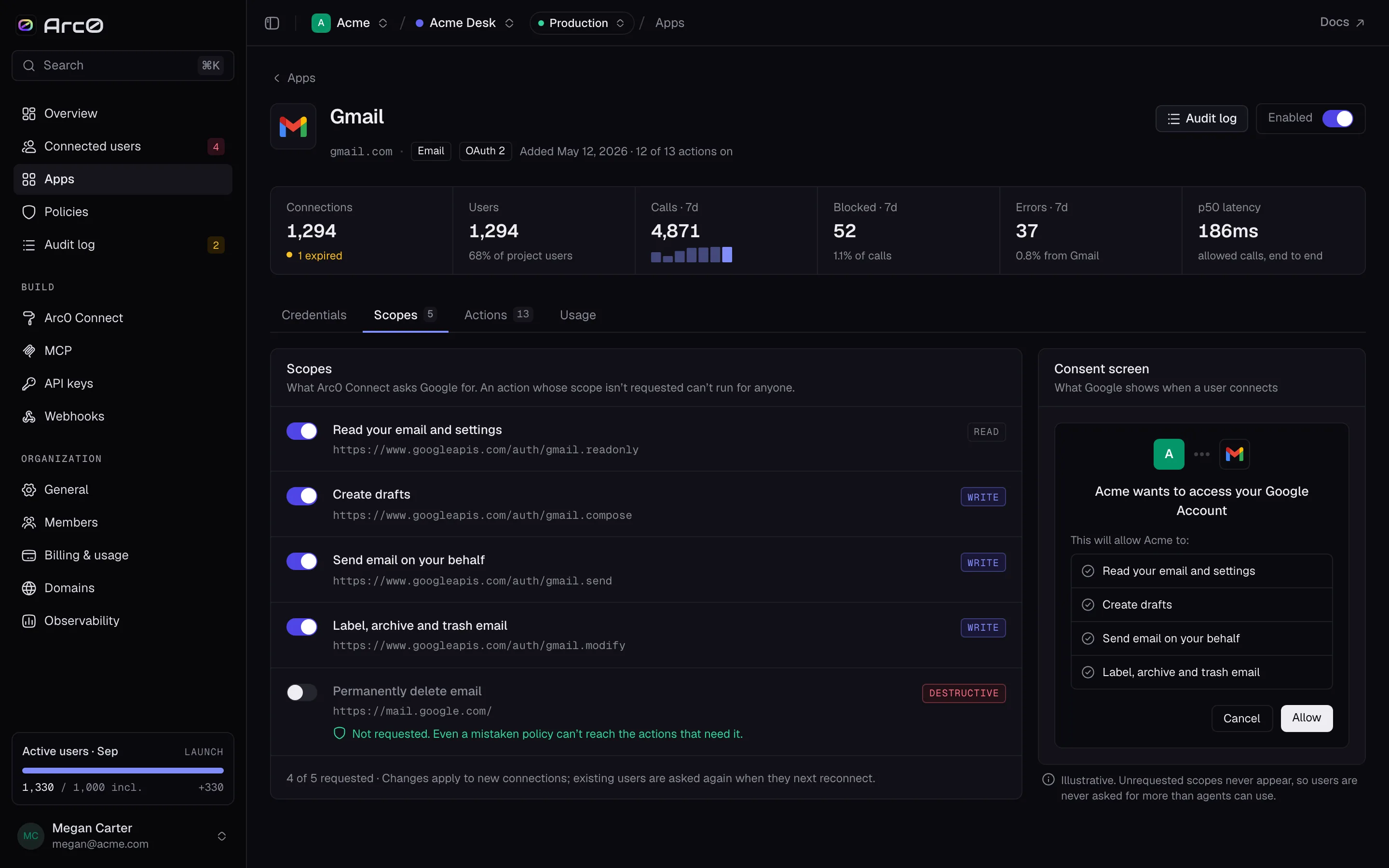
A live preview shows exactly what the user will see: "Arc0 wants to access your Google Account" (or your own name, on your own OAuth app) and "This will allow … to:" followed by the requested scopes, with Cancel and Allow buttons. If a destructive scope is switched off, it still shows in the preview, struck through and marked NOT REQUESTED — with a note that "Even a mistaken policy can't reach the actions that need it," since there's no token to use.
Actions and how they're graded
Every action carries a grade — read, write, or destructive — decided by its verb, not by the app: gmail.send_email is write, salesforce.delete_record is destructive, slack.list_channels is read. The Actions tab lists them with columns On, Action (its title and its app.action id), Grade, Rule, Calls · 7d, and Blocked (split into denied and held).
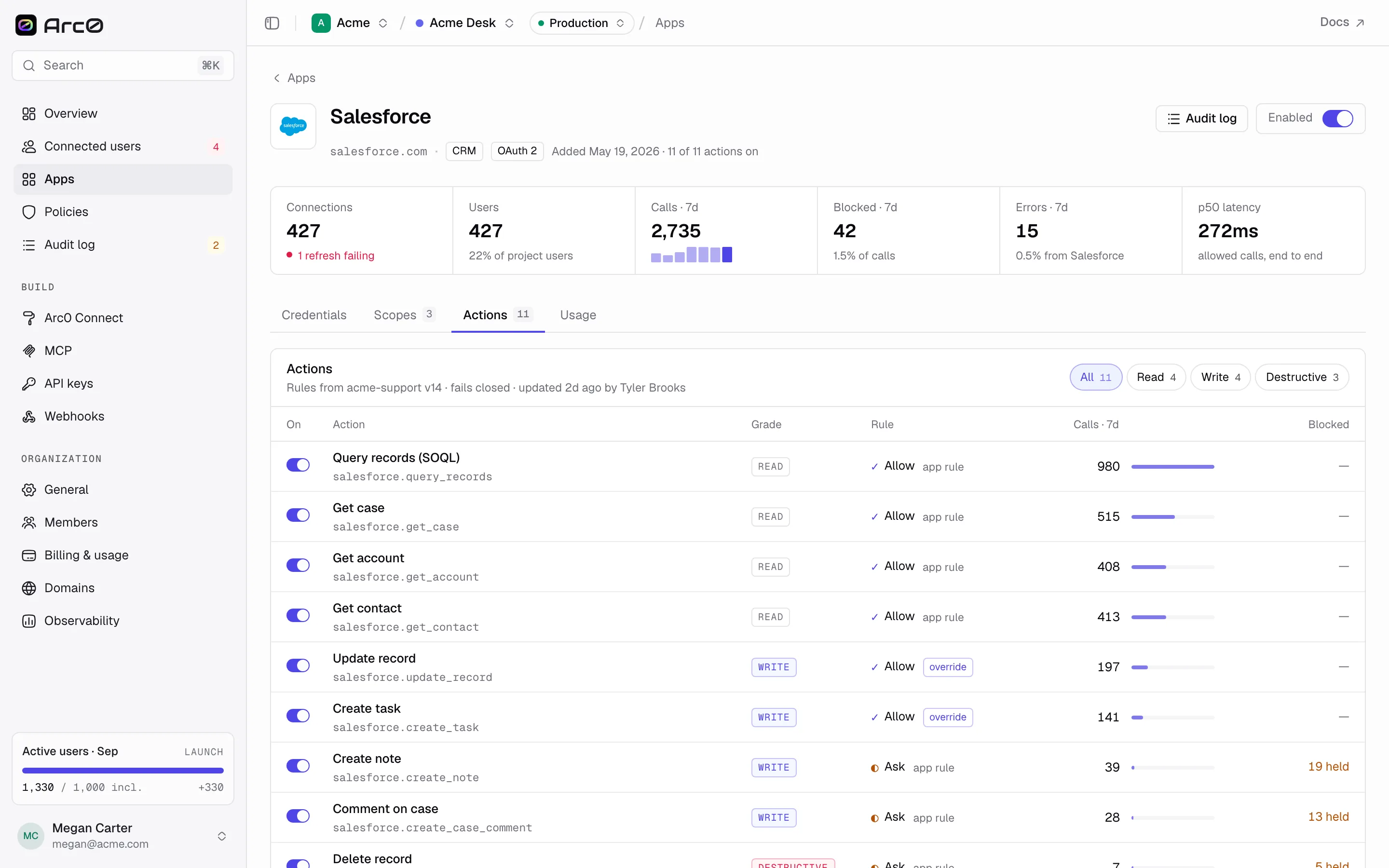
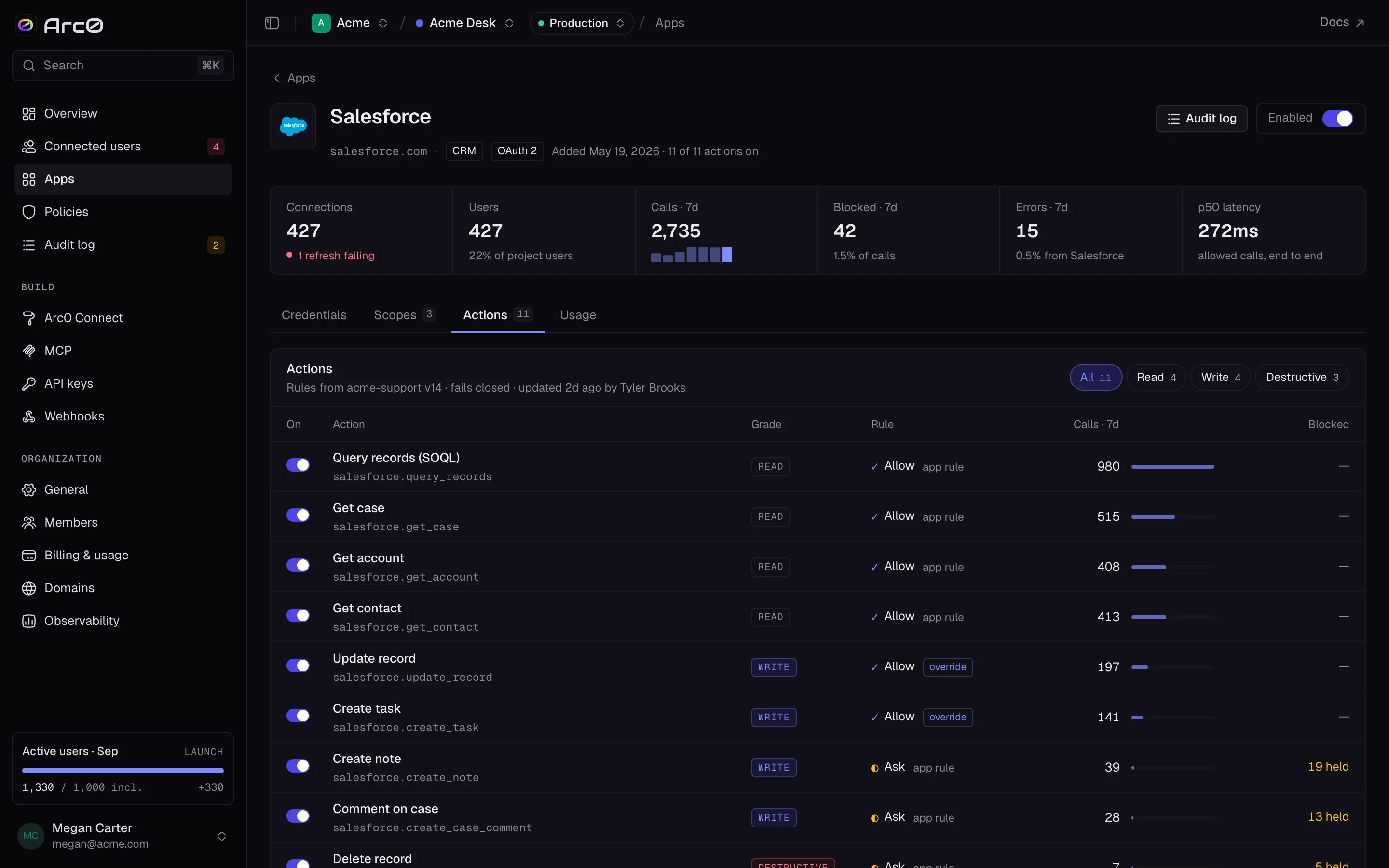
Rule shows which policy layer decided the outcome for that action, most specific first: an action override beats an app rule, which beats the policy default. See Policies for how those three layers are set.
Turning an action off
Flip an action's On switch off and it disappears from what any agent can see or call — the tab marks it "Off · agents never see it." This is a harder stop than a policy's deny: a denied call still reaches Arc0 and gets logged as blocked, while an off action never shows up for an agent to try in the first place. Use it for actions you never want available in this project, regardless of what any policy says.
Usage
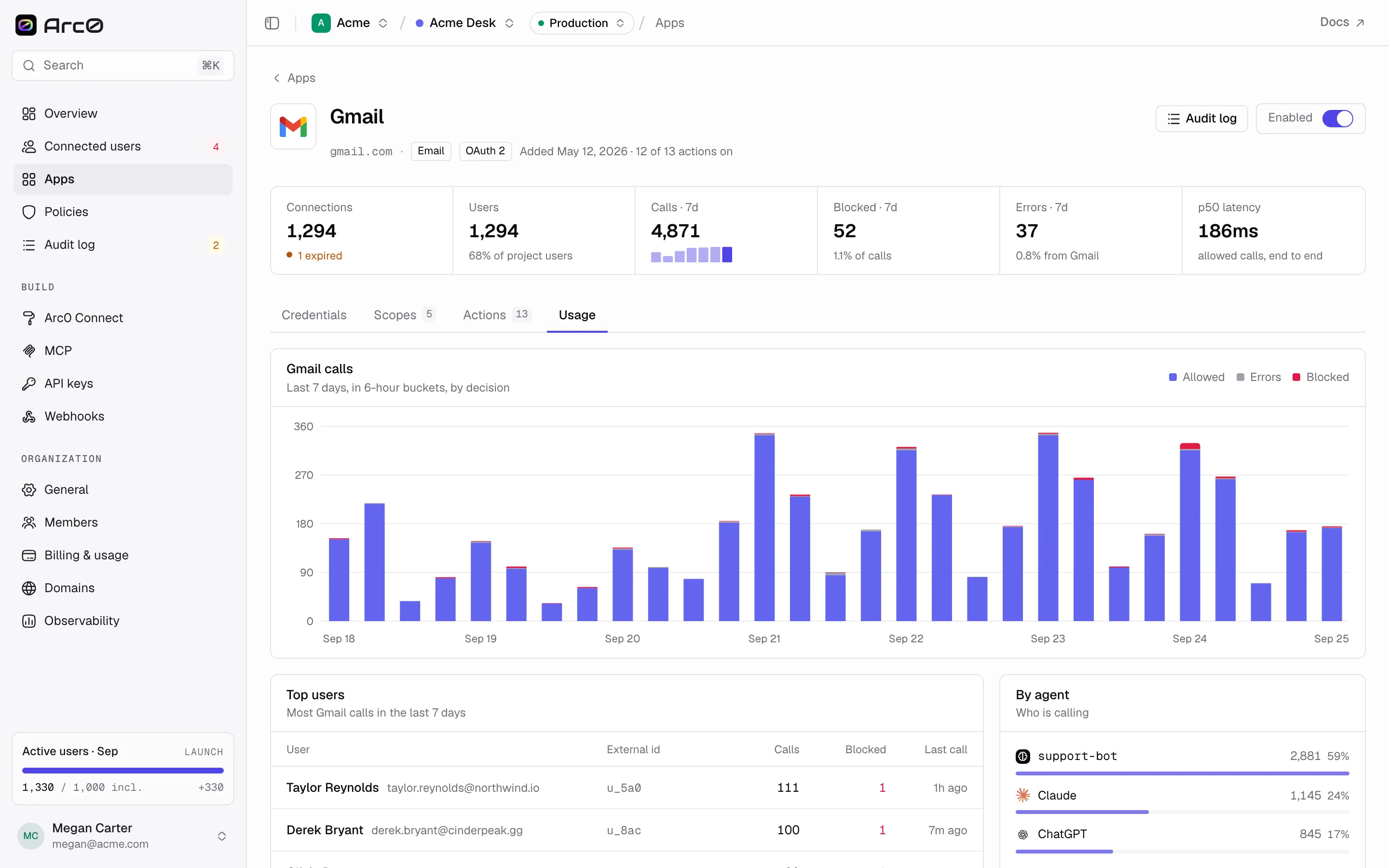
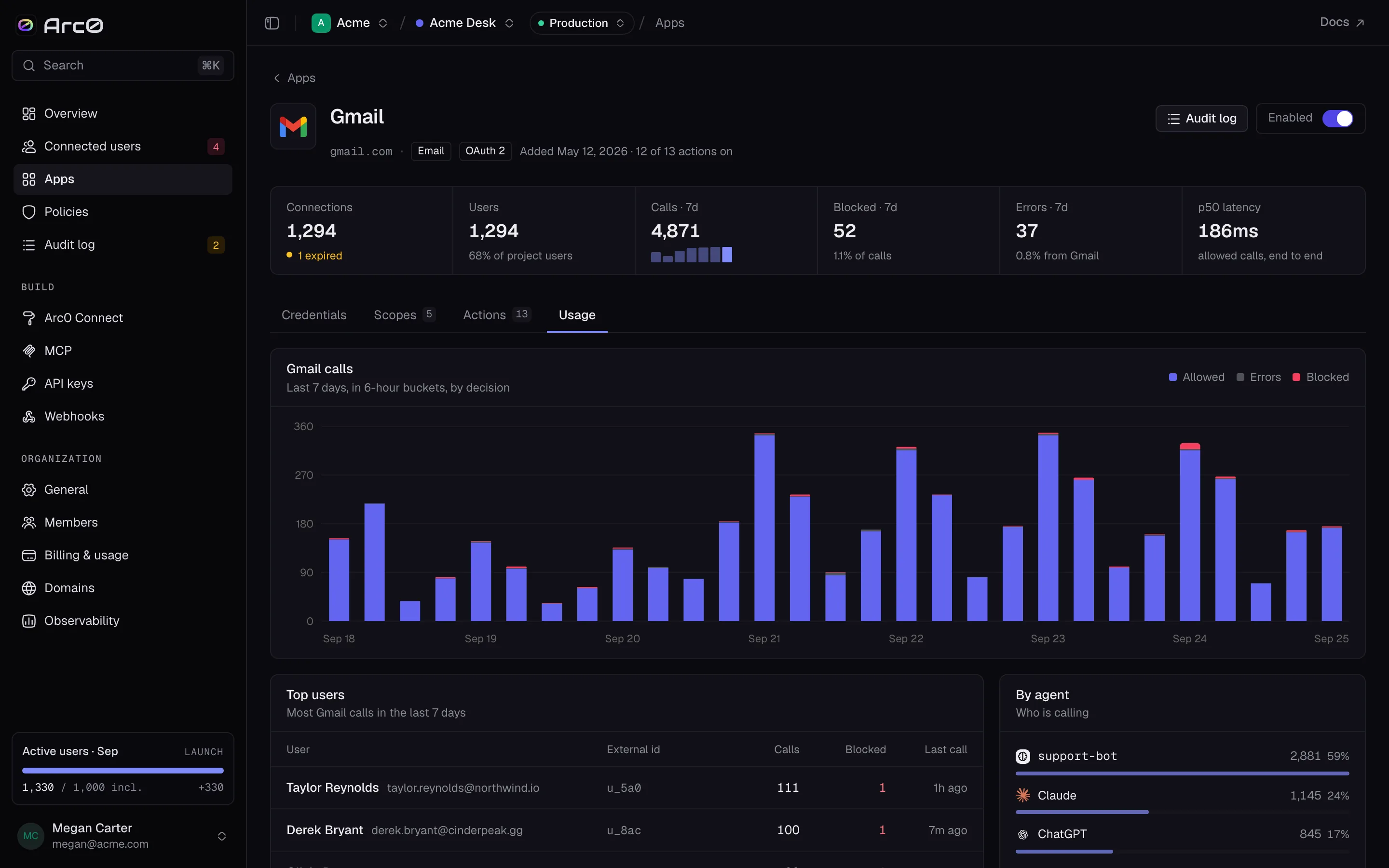
The Usage tab shows call volume for the app over time — {App} calls, broken into Allowed, Errors, and Blocked — followed by Top users and By agent, so you can see who's actually calling this app and how often they're stopped.