One plug. Every app.
Any agent.
Your users connect their apps once, under your brand. Your agent, or Claude, ChatGPT and Cursor, acts through one MCP endpoint, limited to what each user approved, with every action on the record.



 Claude
 ChatGPT
 Cursor
 Gmail
Gmail Slack
Slack Salesforce
 GitHub
 Linear
 Notion
- Claude
- ChatGPT
- Cursor
 Codex
Codex VS Code
- OpenAI Agents SDK
- Claude Agent SDK
 Vercel AI SDK
 Mastra
 LangGraph


Everything between your agent and your users’ apps.
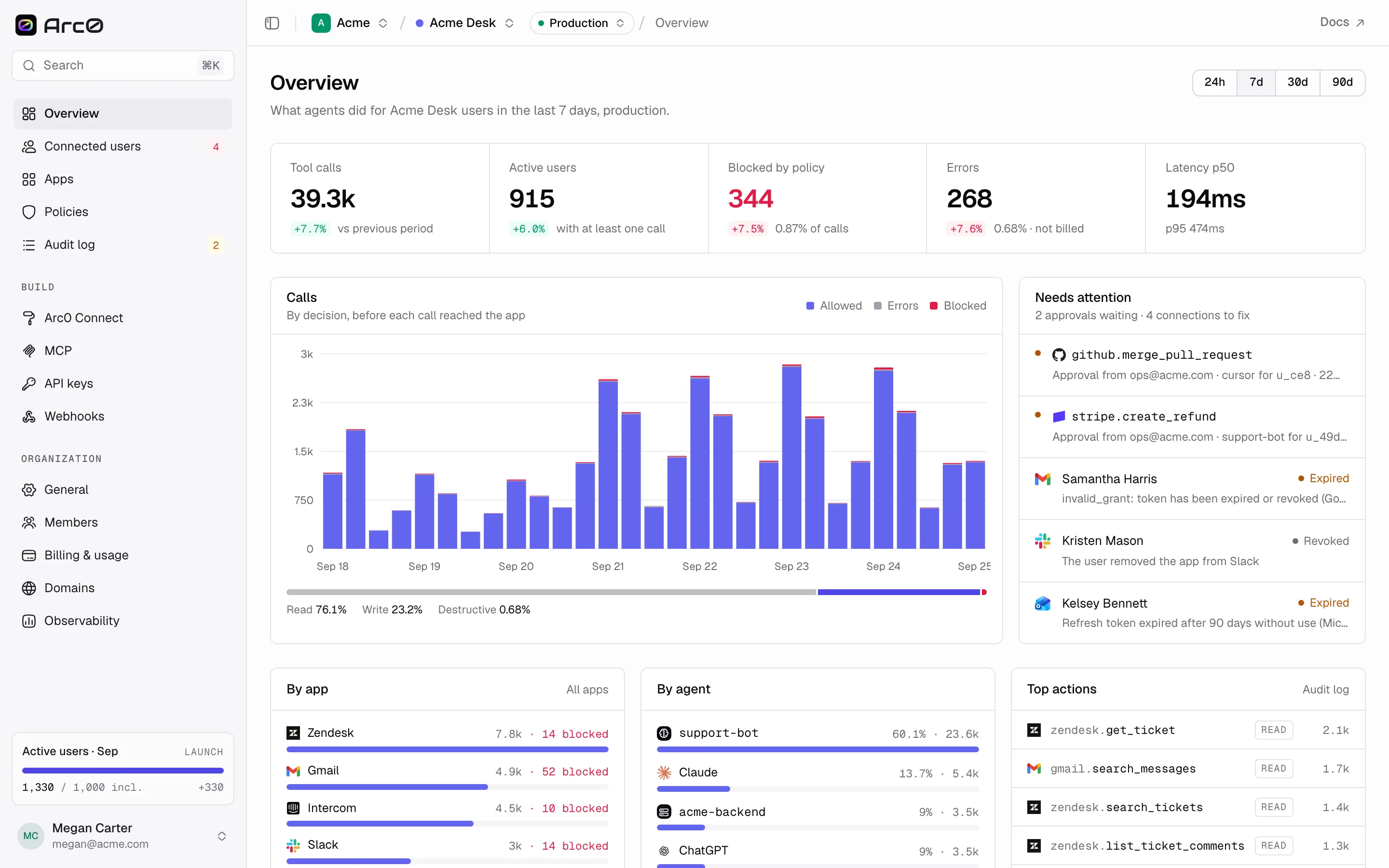
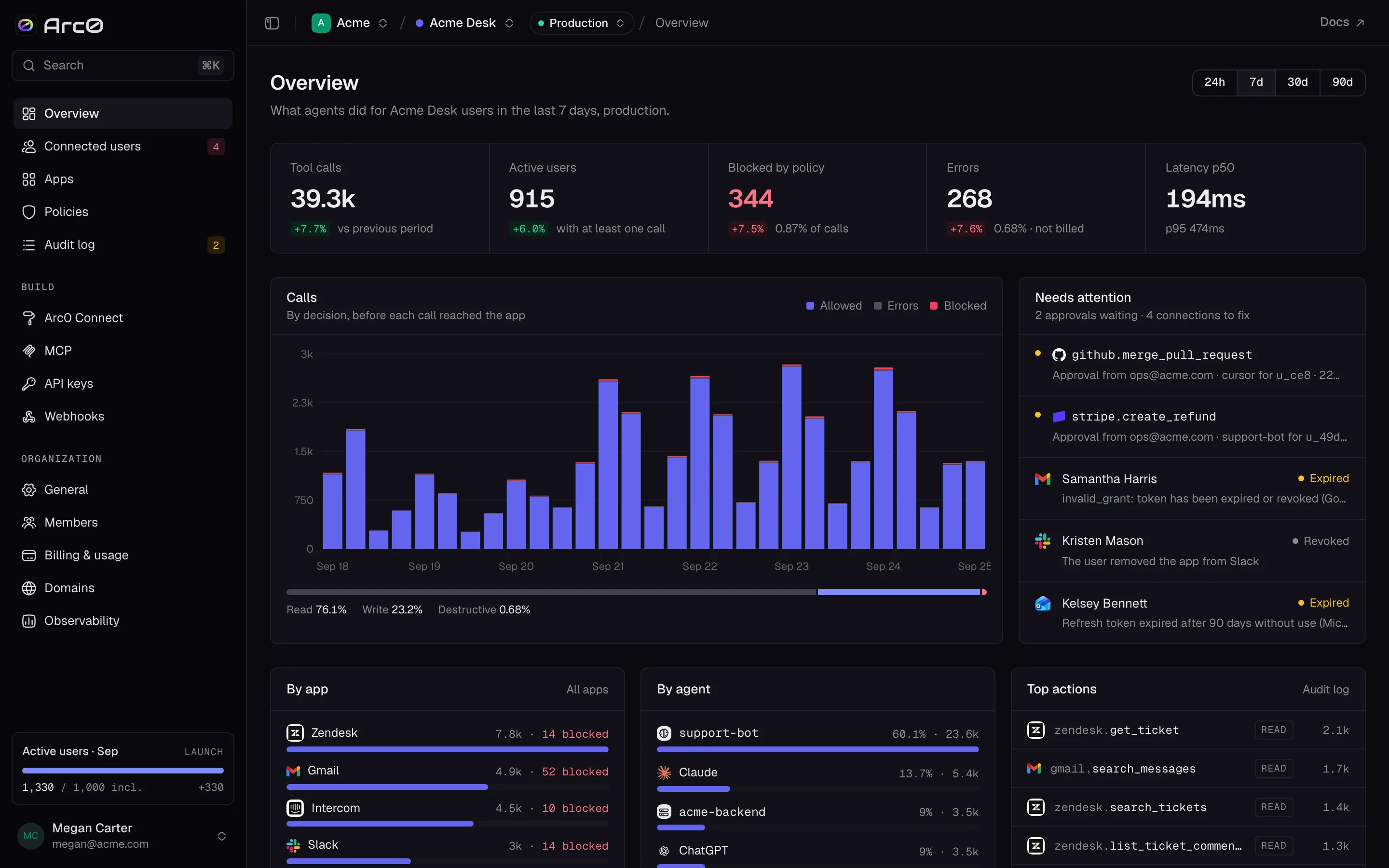
Arc0 Connect
The flow your users authorize apps in, with your logo and colours. Your own domain and OAuth apps on paid plans.
Vault
Credentials encrypted per tenant and refreshed before they expire. OAuth, API keys and basic auth.
Arc0 MCP
One endpoint with an authenticated user binding. Connect your agent, Claude, ChatGPT or Cursor.
REST + proxy
The same connection from your backend, with no agent in the loop. One connection, two callers.
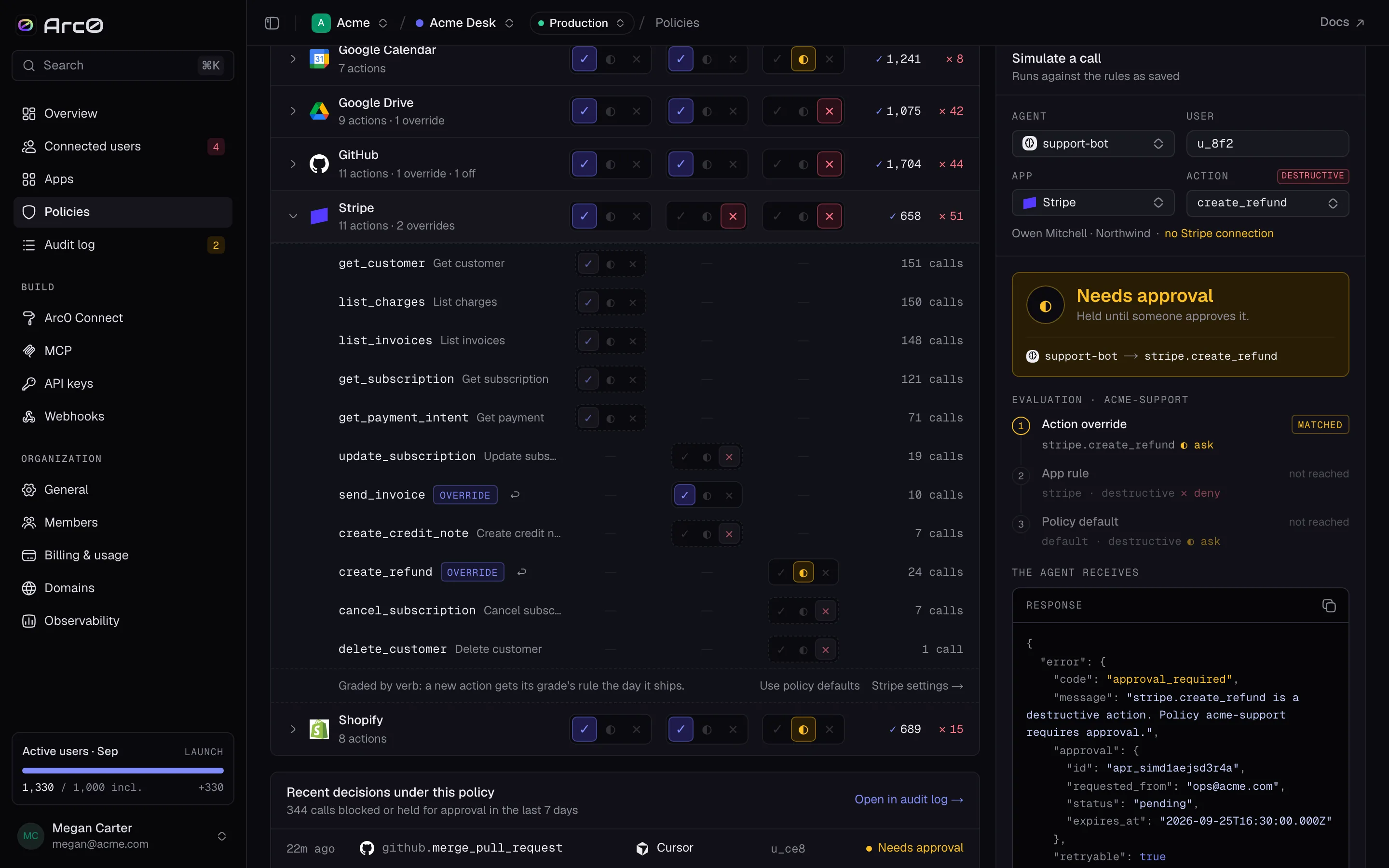
Policies
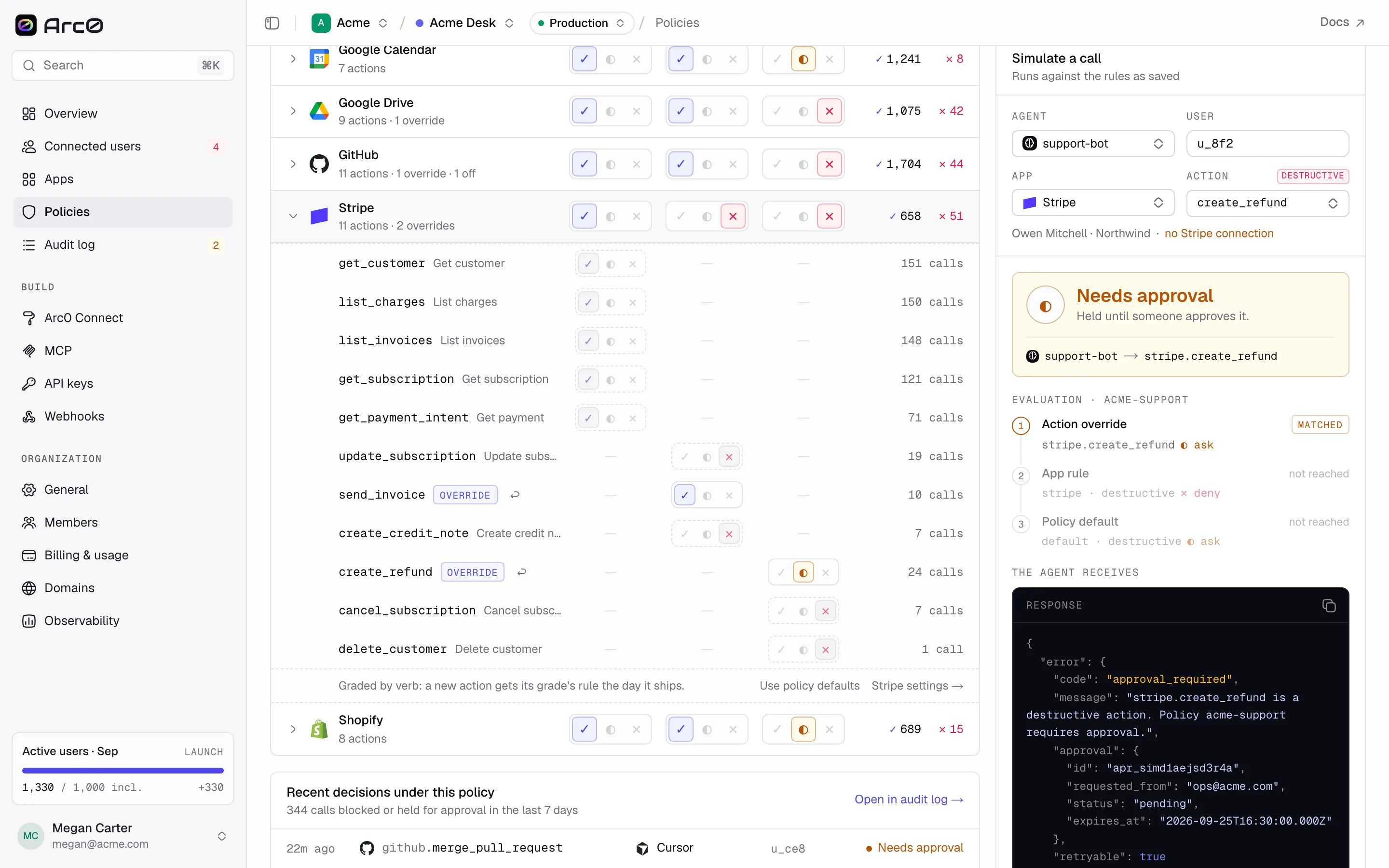
Read, write and destructive scopes per app. Approvals for risky actions. Optionally fail closed when a check can’t run.
Audit log
Every call on every plan: which agent, for which user, in which app, and which policy allowed it.
Connect once. Act anywhere. Stay in control.
Send users to Arc0 Connect, with your logo, or on your own domain on paid plans. They authorize the apps your agent needs, with only the scopes you ask for.
Hand any agent one MCP URL for that user, or call actions from your backend over REST. Credentials never reach the model.
Policies check every call before it reaches the app. Everything lands in the audit log, including what was blocked.
import { Arc0 } from '@arc0/sdk'

const arc0 = new Arc0({
  baseUrl: process.env.ARC0_API_URL,
  apiKey: process.env.ARC0_API_KEY,
  endUserId: user.id, // Arc0 internal ID returned by upsertUser on your backend
})

// 1 · Connect: open this user's hosted consent URL
const { url } = await arc0.connect({ app: 'github',
})

// 2 · Act: one MCP endpoint for any agent
const mcp = 'https://api.arc0.ai/mcp'
// OAuth or a user-bound runtime key authenticates the user

// After consent, discover the exact read tool schema
const { tools } = await arc0.search({ action: 'github.get_profile' })
const tool = tools[0] // inspect inputSchema; stop if missing
const receipt = await arc0.execute({
  action: tool.action, actionVersion: tool.version,
  arguments: {}, idempotencyKey: operation.id,
})
// Persist operation.id for retries; inspect receipt.status
Your brand on the consent screen. Not ours.
Many agent platforms put their own name in front of your users at the moment of trust. Arc0 stays behind your product.
Your logo and colours on every plan, your own domain on paid plans. No “Powered by” badge unless you want one.
On paid plans, so Google, Microsoft and Slack name you on their consent screens. Use ours while you build.
They can see what they’ve granted and revoke it in one click.
Export them any time. Tokens issued to your own OAuth apps keep working elsewhere, so leaving never means a mass reconnect.
Governed by default. On every plan.
Your customers will ask what your agent can do in their apps, and what it did. Arc0 answers both before the question comes up.
Built to be trusted with other people’s keys.
1,484 apps, behind one plug.
From Gmail and Salesforce to the long tail your customers use. Every action is graded read, write or destructive, and official MCP servers plug in behind the same auth, policies and audit log. Browse the catalog →
GmailEmailSlackChatSalesforceCRMGitHubCodeLinearIssuesNotionDocs Google DriveFiles
 Google CalendarCalendar
 OutlookEmail
 AsanaProjects
 StripePayments
 FigmaDesign
Questions, answered.
You can, for one app. Then come token refresh, per-user storage, scopes, revocation, a connect UI, verification with each provider and an audit log — for every app, forever. Arc0 is that work, done once.
Yes. Arc0 MCP is a standard remote MCP endpoint, so any client that supports remote MCP servers can use it. Your own agent can use the same endpoint or the SDK.
Yours. Arc0 Connect shows your logo and colours on every plan and runs on your own domain on paid plans. With your own OAuth apps, the provider’s consent screen names you too.
Yes. Tokens are exportable at any time. Tokens issued to your own OAuth apps keep working after export, so moving off Arc0 doesn’t mean asking every user to reconnect.
Per active connected user per month. Your first 100 users are free, Launch is $99 a month for 1,000, and extra users cost $0.10 down to $0.03. Each user includes 5,000 calls, failed calls and development mode are free, and audit logs are on every plan.
Yes, and we move you for free. An engineer maps your apps and actions, sets up your OAuth apps and branded connect flow, and imports tokens wherever your current platform lets you export them. Teams switching from Composio also get 3 months of Launch free.
Plug your agent in.
Build free with up to 100 active connected users. An engineer sets up your connect flow, OAuth apps and first policies with you.
MCP + REST · White-label connect · Audit log on every plan